Kevuru’s Team Tech Stack of Concept Art

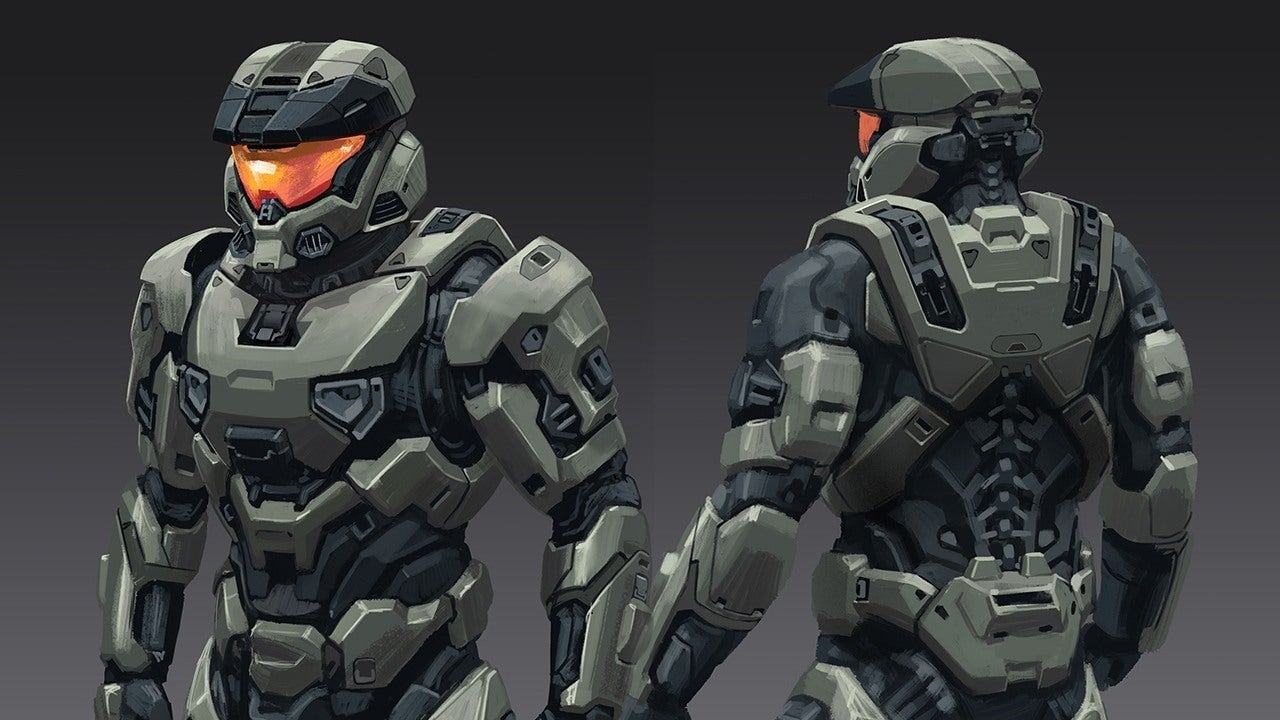

At Kevuru, the software gets picked before the first sketch even happens. Talent sets the ceiling, but the toolkit decides how fast a rough sketch turns into a client-ready sheet. Kevuru Games runs its concept art services on a defined set of programs: 2D painting software, 3D sculpting tools, a couple of AI programs kept strictly for early ideation, and file habits that keep ten or more artists from overwriting each other’s work. What follows covers the software, platforms, and workflow habits behind Kevuru’s concept art studio, including what’s worth checking if you’re comparing concept art agencies.
How Kevuru Builds an Efficient Concept Art Pipeline
Kevuru’s concept art pipeline runs through five stages: idea research and moodboarding, first-round sketches, color exploration, polishing, and a final model sheet. Each stage has its own checkpoint with the client, so revisions happen early, before a design moves into full production and costs more to fix. Skip the color-options checkpoint, and a team usually ends up redoing work later, once a client flags a palette issue a mid-pipeline review would have caught.
Growing demand raises the stakes here. The global video game market is on track to climb from $322.6 billion in 2025 to $498 billion by 2033, according to Grand View Research. More titles in production mean more concept art requests, and a studio without a repeatable process cannot scale without losing quality.
Creative Planning, Visual Research, and Asset Management at Kevuru
Every Kevuru project starts with reference gathering. Mood boards, genre benchmarks, and art-direction notes come together first, so the whole team works from the same palette and style once anyone actually picks up a pencil.
File organization gets the same treatment. We organize sketches, color variants, and final renders by project and stage, so an art director or a concept art client can trace a design back to the reference that inspired it. Clear naming and structured folders also let a technical artist pick up files without guessing what round they represent.
The Core Software and Technologies Behind Kevuru’s Concept Art Services
Most 2D painting at Kevuru happens in Adobe Photoshop or Procreate. Blender and ZBrush handle 3D sculpting and blockouts, and Gravity Sketch comes out when a design needs testing at real scale in three-dimensional space. Stable Diffusion and MidJourney get pulled in occasionally, but only for references, never past that. An artist might run a dozen AI variations on a helmet shape before picking one that fits the brief. The AI pass ends there — the final piece still gets drawn by hand.
The project is crucial when deciding which program should lead. A stylized mobile character can often stay in Procreate start to finish. A AAA environment piece moves back and forth between Photoshop and Blender to check scale and lighting before the final paint pass. Game briefs vary enough that the list of concept art tools remains long. A prop sketch and a full environment sheet rarely call for the same setup.
Digital Painting Tools, Collaboration Platforms, and Production Workflows
Digital painting still does most of the work in the early rounds. An art director can mark up a sketch right inside Photoshop layers, circling a proportion problem or flagging a color that’s reading wrong, and that note travels with the file instead of getting buried in an inbox.
Feedback moves swiftly. A lead concept artist sets the direction, a project manager tracks scope and deadlines, and the client weighs in at three fixed points: sketch approval, four to six color options, then the polished final. Spacing approval across those checkpoints keeps a multi-artist, multi-timezone project on schedule, rather than saving every decision for one big review at the end.
How Kevuru Optimizes Concept Art for Modern Game Development
A concept that looks great in Photoshop can still stall once it reaches a 3D artist. Maybe the silhouette doesn’t read at gameplay distance. Maybe the proportions fight the rig, or the details cost more than the engine budget allows. Kevuru’s team designs around those limits from the first sketch, so a character or prop rarely goes back for a redesign once production picks it up. Before anything moves forward, a technical artist checks the silhouette, the proportions, and how the materials will break down.
Version Control, Client Feedback, and Integration into Production
Nothing about an earlier round has to become a guessing game later. Our team saves each sketch, color pass, and final render as a distinct version, so a client can request a change to round two without disrupting the approved work in round four. Feedback gets logged against the exact file it applies to, round by round.
A model sheet hands off multiple projections and material references at once, so a 3D artist has everything needed to build a game-ready asset without a second round of clarifying questions.
Why Kevuru’s Tech Stack Delivers Better Concept Art Services
Software alone doesn’t make Kevuru’s concept art services repeatable. Photoshop, Blender, ZBrush, and a handful of AI tools only pay off inside a process that actually enforces its checkpoints. That combination has carried thirteen years of projects for studios such as EA, Epic Games, and Lucasfilm. The toolkit matches whatever stage a project is at, so artists move quickly, and clients keep signing off because they always know where the next review is.
Good tools help, but they don’t run the pipeline by themselves. A team still has to know when to use them. Need an experienced concept art partner for your next project? Take a look at Kevuru’s portfolio or get in touch to discuss your individual vision. We’re ready to figure out which stage of the pipeline it needs first.