How Much Space Does Minecraft Take Up? (PC, PS3, PS4, PS5, Xbox 360, Xbox One, iOS, Android, Nintendo)



Just like in Minecraft with chests, you can never have too much storage space. To showcase our need for storage space best, we went as far as to create SSD memory on laptops, which is, in simple terms, upgradeable memory inside your device. For gamers, it’s become especially important to know how much space their games are going to take up since it can quickly run out once you start installing those new releases. If you’re on your last gigabytes of space, no matter your device, with everything said, let’s see how much space Minecraft takes up.
Java VS Bedrock Edition
Minecraft Java Edition is only available for Windows, Mac, and Linux. It allows for cross-platform play on those devices only, while Bedrock Edition is reserved for other device types, such as consoles and mobile phones.
The Bedrock Edition, if looking solely at PC versions, is bigger than Java Edition. To be precise, Java Edition takes up 525 MB while the Bedrock Edition takes up 900 MB of space.
Why Is Bedrock Edition Bigger?
Java Edition was made in a simple programming language: Java. Since it was originally made in 2010, it wasn’t meant to support multiplayer modes so there was no need for programming with a more complex and faster language like C++. This is where Bedrock Edition swoops in. This edition was made entirely with C++ programming language. Microsoft rebuilt the entirety of Minecraft Java using the complex language.
Main File Size Across All Platforms
- PC –
- Android – 112 MB, but depends on the device type
- iOS – >200 MB, but depends on the device type
- PS3 – 90 MB
- PS4 – 225 MB
- PS5 – 225 MB
- Xbox One – 1.29 GB
- Xbox 360 – 113.21 MB
- Nintendo Wii U – 1.62 GB
- Nintendo 3DS – 470 MB
- Nintendo Switch – 512 MB
A good thing to remember is that even though these file sizes are relatively small, you’re likely to not be able to download it if you don’t have at least 2 GB of storage on consoles like PS4 and Xbox One. This is because once you start playing, Minecraft will drain your storage space through a variety of methods.
How File Size Increases
Wherever you go in a Minecraft world, the game keeps loading more chunks. This means that chunks will load only when you get to that chunk. These chunks take up space, and every chunk is about 4 KB. Although this doesn’t seem like a lot, it can quickly add up if you count the fact that there are 30.000.000 blocks in a world in each direction from spawn point 0.0, and each chunk is made up of 3×3 blocks. In each direction, you’ll get around 3.000.000 chunks.
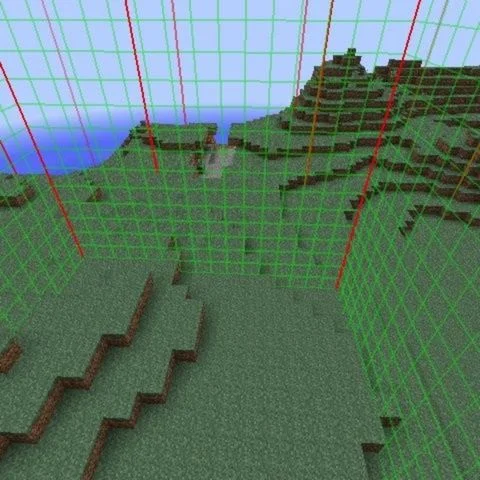
Although it is hard to reach the border of the world, it serves to prove a point about how Minecraft will take up your disk space. The client alone is 200 MB, and each update will eat up more of your storage space as well. The next major update is said to be released somewhere in 2023.
Mods, Resource Packs, Worlds, Plugins, And Server Hosting
If you like to play with mods or add-ons, you can rejoice, Mods and Add-ons don’t take up a lot of space but do keep in mind that you’re likely to not be satisfied with just one. They’ll add up, so just like small-sized chunks add up, the same level of caution can be practiced here.
Texture and resource packs will help you change the visuals and audio of the game. Each file doesn’t take up a lot of space, just like mods don’t, but they’ll add up just the same.
If you like to play in multiplayer mode, each individual player will add up to your file size. This especially holds true if you’re a server host. Each player on your server will multiply the storage space a world and mods for that world would take up. This can easily add up and end up in the 20-30 GB of storage space taken up range.
Checking For Storage Space Taken
If you’d ever like to check how much storage space Minecraft takes up on your PC, phone, or console, you can easily do that by following these steps
- PC – Go to Settings –> click on Storage –> System Storage –> then go to Saved Data –> choose Minecraft
- Android – Go to Google Play Store –> Click on your Profile icon –> select Manage Apps & Devices –> click on Manage –> Filter the apps by size by tapping on Recently Updated –> find Minecraft; the app size should be written below its name
- iOS – Go to Settings –> tap on General –> tap Device Storage –> find and tap on Minecraft
- PS3 – Go to Settings –> navigate to System Settings –> go to System Information –> you’ll find how much free space you have there
- PS4 – Repeat as you would on the PS3
- PS5 – Repeat as you would on the PS4
- Xbox One – Press the Xbox button on controller –> go to Profile & Settings –> Settings –> System –> Storage
- Xbox 360 – Repeat as you would on Xbox One
- Nintendo Wii U – Go to Wii U Menu –> select System Settings –> scroll to Data Management using the left stick –> press the A button –> go to Copy/Move/Delete Data
- Nintendo 3DS – go to System Settings –> Data Management –> 3DS –> Software –> Keep in mind that Nintendo 3DS uses blocks as storage, 8000 blocks equal about 1GB of space
- Nintendo Switch – Repeat as you would on Nintendo Wii U
Have something to add? Let us know in the comments below!